How to Track Calories Without Obsessing: App-Based Approach
Tracking calories can be useful, but doing it the wrong way often leads to overthinking, constant checking, and burnout.
The goal isn’t to track every bite you eat—it’s to use calorie tracking apps in a way that builds awareness without turning food into a daily math problem.
In this guide, you’ll learn how to track calories without obsessing, using a practical, app-based approach.
We’ll break down what to track, what to ignore, which app features actually help, and how to use calorie tracking apps as tools—not rules.
This method focuses on trends, habits, and consistency rather than perfect numbers.
If you want to stay informed about your calorie intake without stressing over daily limits or logging every snack, this approach shows you how to do it the right way.
If you want to stay informed about your calorie intake without stressing over daily limits or logging every snack, this approach shows you how to do it the right way.
The Anti-Obsession Calorie Tracking Checklist
If calorie tracking is making things louder instead of clearer, reset with this:
- Pick one app and stick with it (switching apps fuels overthinking)
- Track meals, not every bite or sip
- Log after eating, not before
- Use the app’s default portion when you’re unsure
- Round numbers once — don’t keep correcting
- Skip tracking one meal per day on purpose
- Focus on weekly averages, not daily totals
- Stop logging once patterns feel obvious
Reminder: tracking is a learning tool, not a daily obligation.
Table of Contents
- 1. What “Tracking Calories Without Obsessing” Actually Means
- 2. Why Calorie Tracking Apps Often Lead to Overtracking
- 3. The Right Way to Use Calorie Tracking Apps (Non-Obsessive Method)
- 4. App Features That Help You Track Calories Without Obsessing
- 5. App Features That Make Calorie Tracking Worse
- 6. How Long You Should Track Calories (And When to Stop)
- 7. Can You Track Calories Without Logging Everything?
- 8. Are Calorie Tracking Apps Accurate Enough?
- 9. Who This Non-Obsessive Tracking Method Works Best For
- Final Take: Use Calorie Apps as Awareness Tools, Not Rules
- FAQs
1. What “Tracking Calories Without Obsessing” Actually Means
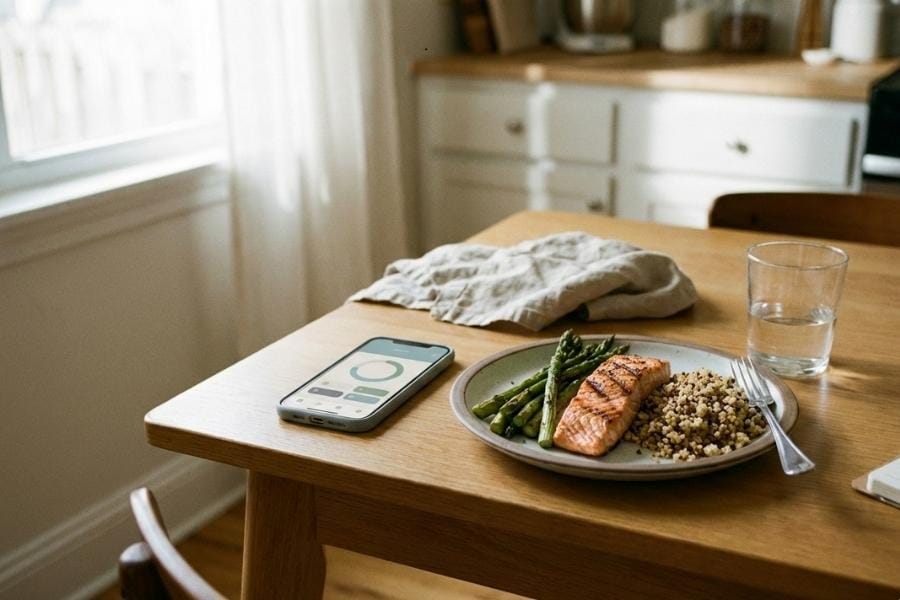
Tracking calories without obsessing means using calorie tracking apps to understand patterns, not to control every food decision you make.
The focus is on awareness and consistency, not precision or perfection.
In a non-obsessive approach, calorie tracking is used to answer simple questions like:
- Are your meals generally balanced?
- Are portion sizes drifting over time?
- Are certain meals consistently much higher or lower than you expected?
What it doesn’t mean is weighing every ingredient, logging every bite, or adjusting meals just to hit an exact number.
Calorie data is always an estimate, even in the best apps, so treating daily totals as strict limits usually creates more stress than results.
When done the right way, calorie-tracking apps work like a reference tool.
You check them occasionally, look at trends over days or weeks, and use that information to make small adjustments.
You’re not reacting to one high-calorie meal or one low day—you’re paying attention to the bigger picture.
This approach keeps calorie tracking useful without letting the numbers take over how or what you eat.
Also Read: How to Track Calories When You Eat Out (Without Guessing)
2. Why Calorie Tracking Apps Often Lead to Overtracking
Most people don’t start calorie tracking with the intention of obsessing.
It usually happens because of how the apps are used, not because tracking itself is a bad idea.
One common mistake is logging everything, including small bites, sauces, and occasional snacks.
This turns eating into a constant task and makes the app feel like something you have to manage all day, rather than a tool you check briefly.
Another issue is checking calorie totals too often.
Opening the app after every meal—or worse, after every food decision—creates pressure to “stay under” a number.
Over time, daily totals start to feel like a pass-or-fail score instead of rough guidance.
Calorie tracking apps can also push obsession through design.
Features like streaks, red warning colors when you go over a limit, or aggressive notifications make users focus on short-term numbers instead of long-term habits.
Even though these features are meant to keep people engaged, they often do the opposite by increasing stress.
Finally, many users expect calorie tracking apps to be perfectly accurate.
When food entries don’t match exactly or totals vary between days, it leads to constant adjusting and second-guessing.
Since calorie data is always an estimate, chasing exact numbers usually creates frustration rather than useful insight.
Understanding these patterns is important, because once you know why overtracking happens, it becomes much easier to avoid it.
3. The Right Way to Use Calorie Tracking Apps (Non-Obsessive Method)
The easiest way to avoid obsession is to change how you use the app, not to stop using it altogether.
A non-obsessive method keeps tracking simple, limited, and intentional.
3.1 Track Meals, Not Every Bite
Instead of logging everything you eat, focus on your main meals.
Breakfast, lunch, and dinner usually account for most of your daily calories, so tracking them gives you useful information without constant input.
Small snacks, sauces, or a few bites here and there don’t need to be logged unless they’re consistent and easy to estimate.
The goal is to capture your normal eating pattern, not to record food with perfect accuracy.
Also Read: How to Meal Plan for a Week Using an App
3.2 Use Ranges Instead of Exact Numbers
Calorie counts in apps are estimates, not exact measurements.
Trying to hit a specific number each day often leads to unnecessary adjustments and stress.
A better approach is to think in ranges.
Being roughly 200–300 calories above or below a target is normal and expected.
What matters more is where your intake usually lands over time, not one day’s total.
3.3 Check Weekly Trends, Not Daily Totals
Daily calorie numbers naturally fluctuate.
One higher day doesn’t cancel progress, and one lower day doesn’t guarantee results.
Use the app’s weekly or multi-day view to spot trends.
Looking at averages helps you understand your habits without reacting emotionally to individual meals.
3.4 Log for Patterns, Not Control
The purpose of logging is to notice patterns.
Which meals tend to be higher?
Which foods keep you full longer?
Are weekends very different from weekdays?
When you log with this mindset, calorie tracking becomes a learning tool.
You’re gathering information that helps you make better decisions over time, instead of using the app to restrict or correct every choice.
Quick Reality Rules (Save This)
- Eating out? Estimate once
- Home cooking? Log main ingredients
- Snacks? Log together
- Missed a meal? Don’t backfill
- Bad day? One day doesn’t ruin a trend
4. App Features That Help You Track Calories Without Obsessing
Not all calorie tracking apps encourage the same behavior.
Some features make tracking calmer and easier to manage, while others increase pressure without adding real value.
One helpful feature is weekly or monthly summaries.
These views shift your attention away from daily numbers and toward long-term trends, which reduces the urge to constantly check totals after every meal.
Apps that allow flexible goals are also easier to use long-term.
Instead of forcing strict daily limits, they let you adjust targets or think in broader ranges.
This makes tracking feel supportive rather than restrictive.
Another useful option is the ability to hide or de-emphasize remaining calories.
When the app doesn’t constantly show how many calories you have “left,” it’s easier to eat normally without turning every food choice into a calculation.
Finally, apps that support saved meals, frequent foods, or simple logging help reduce effort.
The less time you spend entering data, the less mental space calorie tracking takes up, which makes it easier to stay consistent without burnout.
5. App Features That Make Calorie Tracking Worse
Some calorie tracking apps include features that increase engagement but unintentionally push users toward overtracking and obsession.
Knowing what to watch out for can help you avoid unnecessary stress.
One common issue is streak-based tracking.
When apps reward consecutive logging days, missing a day can feel like failure, even when taking breaks would be healthier.
This turns tracking into an obligation instead of a tool.
Another problem is visual pressure, such as red warning colors when you go over a calorie limit.
These signals frame food choices as “good” or “bad,” which encourages reactive eating decisions rather than thoughtful ones.
Frequent push notifications can also make tracking worse.
Reminders to log meals or alerts about calorie totals pull your attention back to numbers throughout the day, even when it’s not needed.
Finally, overly detailed breakdowns—like constantly highlighting exact micronutrients or small calorie differences—can lead to unnecessary fine-tuning.
For most people, this level of detail doesn’t improve results and often increases mental load instead.
If an app consistently makes you feel tense, guilty, or pressured, the issue isn’t your discipline.
It’s a sign that the app’s design may be working against a sustainable tracking approach.
Signs You’re Slipping Into Obsession
If two or more feel familiar, loosen the rules:
- You reopen the app multiple times per meal
- You feel guilty before logging food
- You avoid eating because logging feels annoying
- Daily numbers affect your mood
- You think about calories more than hunger
When this happens, pause tracking for 48 hours and come back looser.
6. How Long You Should Track Calories (And When to Stop)
Calorie tracking works best when it’s used for a specific purpose, not as something you do forever.
The goal is to learn from the data, then step back once you’ve gained enough awareness.
For many people, tracking for a few weeks is enough to understand portion sizes, common calorie ranges, and how different meals affect intake.
During this phase, the app helps build context around foods you eat often, especially if you cook at home or rely on repeat meals.
Once you start noticing patterns—like which meals are consistently higher, or which foods keep you full longer—constant tracking becomes less necessary.
When You Can Stop Tracking Completely
You don’t need apps forever. You can stop when:
- You can eyeball portions confidently
- You recognize calorie-dense foods instantly
- Your weight trend is stable over weeks
- Logging feels repetitive, not helpful
At that point, the app has done its job.
It’s also important to recognize when tracking is no longer helpful.
Signs include checking the app too often, feeling anxious about daily totals, or adjusting meals just to satisfy the numbers.
When this happens, taking a break from tracking can be more beneficial than pushing through.
Calorie tracking apps are most effective as temporary learning tools.
Using them in short phases, rather than continuously, helps you stay informed without letting tracking take over your eating habits.
7. Can You Track Calories Without Logging Everything?
Yes, calorie tracking still works even if you don’t log every single thing you eat.
In fact, partial tracking is often more sustainable and leads to better long-term consistency.
One simple approach is to log only your main meals and skip small or irregular snacks.
This captures most of your calorie intake without turning tracking into a full-day task.
Another option is selective tracking.
Some people log only dinners, weekdays, or meals they cook at home. Since these meals are more predictable, they provide useful data without requiring constant input.
You can also rely on saved meals or frequent foods for items you eat regularly.
This reduces decision fatigue and keeps logging quick and repeatable.
The key is consistency, not completeness.
Tracking fewer items in a consistent way is more useful than trying to log everything perfectly and quitting after a few days.
8. Are Calorie Tracking Apps Accurate Enough?
Calorie tracking apps are not perfectly accurate, and that’s normal.
Most calorie data is based on estimates, user-submitted entries, and average values, not exact measurements of what’s on your plate.
The biggest source of inaccuracy comes from portion size estimates.
Even when foods are logged correctly, two people can enter the same meal and end up with different totals.
Restaurant meals, home-cooked food, and mixed dishes add even more variation.
Because of this, calorie tracking works best when you aim for “close enough”, not exact precision.
Small differences from day to day don’t matter as much as overall patterns across a week or month.
Trying to fix tiny discrepancies—switching food entries, re-logging meals, or adjusting portions repeatedly—usually adds stress without improving results.
Instead, use the numbers as rough guidance and focus on consistency.
When you accept that calorie tracking apps provide estimates, not exact counts, it becomes much easier to use them without overthinking every number.
9. Who This Non-Obsessive Tracking Method Works Best For
This approach to calorie tracking works best for people who want structure without pressure.
It’s especially useful if you eat many of the same meals each week or cook at home regularly, since patterns are easier to spot without detailed logging.
It also fits well for users focused on maintenance or gradual progress, rather than aggressive weight loss.
When the goal is long-term consistency, tracking trends and habits matters more than hitting exact daily numbers.
Busy users tend to benefit from this method as well.
Logging fewer items, checking summaries instead of daily totals, and using saved meals makes tracking manageable even with limited time.
If you prefer simple systems and don’t want food decisions to revolve around an app all day, this non-obsessive method keeps calorie tracking practical, informative, and sustainable.
Final Take: Use Calorie Apps as Awareness Tools, Not Rules
Calorie tracking apps are most useful when they help you understand habits, not when they dictate daily food decisions.
The moment tracking turns into constant checking, adjusting, or stressing over numbers, it stops being helpful.
A non-obsessive approach keeps things simple.
You track enough to learn, look at trends instead of daily totals, and use the data to make small, realistic adjustments.
You don’t aim for perfect accuracy, and you don’t let one high or low day define anything.
When used this way, calorie tracking apps become short-term learning tools rather than long-term rules.
They give you clarity without control, structure without pressure, and information you can actually use.
The goal isn’t to track forever. It’s to understand your eating patterns well enough that you eventually don’t need the app at all.
If tracking ever starts to feel overwhelming, come back to the checklist at the top and follow only that for a week.
FAQs
Can you track calories without counting every meal?
Yes. Tracking only main meals or repeat meals still provides useful insight. You don’t need to log every snack or bite for calorie tracking to be effective.
Is it unhealthy to track calories every day?
Daily tracking isn’t unhealthy by default, but it can become unhelpful if it leads to constant checking or stress. Many people benefit more from tracking for short periods and focusing on weekly trends.
How often should you check calorie totals in an app?
Checking once a day—or even a few times a week—is usually enough. Constantly checking after every meal often increases pressure without improving results.
Do calorie tracking apps cause obsession?
The apps themselves don’t cause obsession, but certain features like streaks, strict limits, and warning colors can encourage overtracking if not used carefully.
What’s the simplest way to track calories with an app?
Log main meals, use saved foods, focus on weekly averages, and avoid chasing exact numbers. Keeping tracking simple makes it easier to stay consistent without burnout.