How to Save Money on Groceries Using Apps
Groceries are expensive now. Not in a dramatic way — just quietly.
One week it’s $72, then $89, then somehow you’re crossing $100 for the same stuff you’ve always bought. And every time you search how to save money on groceries, you see the same advice: use apps, clip coupons, get cashback.
So you try a few apps… and honestly?
It barely helps. Or it feels like too much work for $6 back.
That’s exactly where most people get stuck.
The problem isn’t that grocery apps don’t work.
It’s that most guides don’t show how people actually use them in real life — with Walmart runs, Target trips, Costco bulk buys, forgotten receipts, missed cashback deadlines, and zero patience for juggling ten apps at once.
While researching this guide, I went through real user experiences — Reddit threads, forums, complaints, and what people say after using grocery savings apps for months. And a clear pattern showed up.
People who save money don’t use more apps.
They use the right combination, in the right order, with a few simple habits.
This guide breaks down that system.
Not hype. Not unrealistic savings claims. Just a practical way people in the US actually use apps to cut grocery bills — without buying things they don’t need or turning shopping into a full-time job.
Let’s get into it.
Table of Contents
- 1. Why Most People Don’t Save Money With Grocery Apps
- 2. The Only Grocery App Stack That Actually Makes Sense
- 3. How People Actually Save $50–$150 a Month (Step-by-Step)
- 4. Store-Specific Strategies (What Actually Works in the U.S.)
- 5. Hidden Mistakes That Quietly Kill Your Grocery Savings
- 6. Grocery App Savings Checklist (Save This)
- 7. Are Grocery Apps Actually Worth It?
- Final Take: Apps Help — Habits Save the Money
- FAQs: Saving Money on Groceries Using Apps
1. Why Most People Don’t Save Money With Grocery Apps
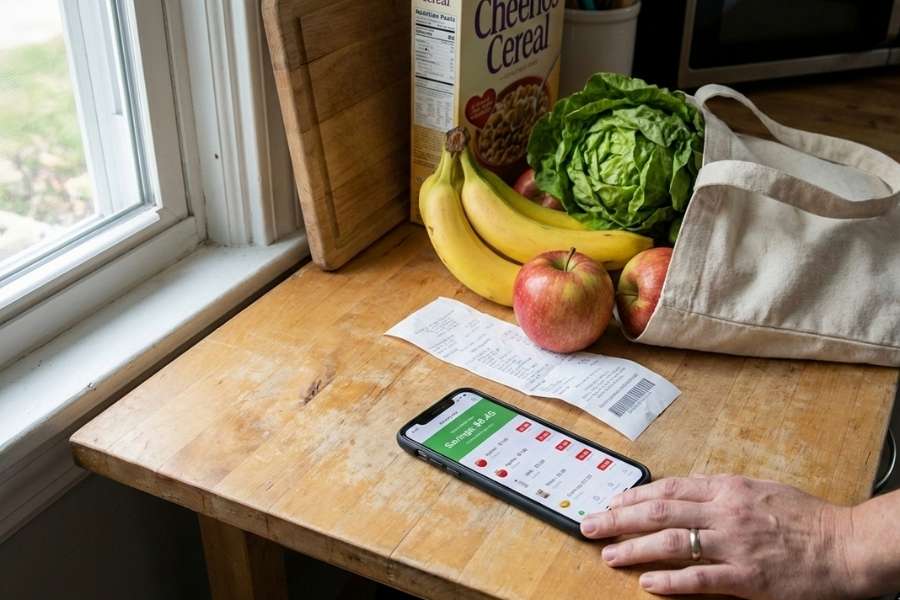
Here’s the uncomfortable truth most guides skip: grocery apps don’t magically save money just because you installed them.
That’s why so many people try them for a week or two… and quietly give up.
After going through a ton of real user experiences, a few patterns show up again and again.
1.1 Too many apps, zero system
Most people start strong.
They download five or six grocery-related apps at once — coupons, cashback, receipt scanning, store apps — and think they’re set.
Then grocery day comes.
Now they’re standing in the aisle, switching between apps, forgetting which one to check first, missing deals, and feeling rushed. Eventually it feels annoying, not helpful. So they stop using half of them.
More apps doesn’t mean more savings. It usually just means decision fatigue.
1.2 Coupons for things they never planned to buy
This one is sneaky.
Apps are really good at showing “great deals” on items you didn’t even want. Snacks, frozen food, random brands you’ve never used. On paper, it looks like savings. In reality, you’re just spending extra money on stuff that wasn’t on your list.
A lot of people think they saved $8… but their total bill went up $20.
That’s not saving money. That’s just shopping differently.
1.3 Cashback sounds better than it actually is
Cashback apps are useful — but only when used correctly.
What most people experience instead:
- $0.75 here
- $1.20 there
- Can’t cash out until you hit a minimum
- Forget to scan receipts before the deadline
After a month, they realize they put in effort and barely saw a difference.
Cashback works best after you’ve already controlled what you buy — not as the main strategy.
1.4 Buying more “because there’s a deal”
This is probably the biggest money leak.
Bulk offers. Buy-one-get-one deals. Limited-time discounts.
They all trigger the same thought: I’ll need this eventually.
Sometimes that’s true.
A lot of times, it’s not.
People end up with:
- Food expiring
- Freezers packed with unused items
- Pantry clutter
And once again, the grocery bill goes up — even though everything felt like a deal.
1.5 Forgetting to redeem (or redeeming too late)
This one’s simple but common.
Receipts sit in the car.
Screenshots get buried.
Deadlines pass.
Many people technically “earned” savings but never actually received them. Over time, that kills motivation and trust in the apps.
The real issue (and this matters)
Most grocery apps aren’t bad.
They’re just used in the wrong order, for the wrong purpose.
People jump straight to:
- coupons
- cashback
- deals
Instead of first controlling:
- where they shop
- what they buy
- how often they shop
That’s why some people save $80–$150 a month… and others save almost nothing using the exact same apps.
In the next section, we’ll fix that by breaking down the only grocery app stack that actually makes sense — what to use before, during, and after shopping, and what to completely ignore.
This is where things start clicking.
2. The Only Grocery App Stack That Actually Makes Sense
You don’t need every grocery app on the App Store.
You need a small, boring, repeatable setup that fits how people actually shop.
After looking at what works (and what people quietly stop using), this is the stack that makes sense for most people in the US.
Think of it in three moments, not three dozen apps.
2.1 Price Comparison Apps (Before You Shop)
This is the step most people skip — and it’s why everything else feels useless.
Price comparison apps are not meant to be opened in the store aisle. They’re for a 2–3 minute check at home before you leave.
What they’re actually good for:
- Spotting which store is cheaper this week for basics
- Catching obvious price jumps on staples
- Deciding where to shop, not what to buy
What they’re bad at:
- Comparing every single item
- Helping with impulse purchases
- Saving money if you open them mid-shopping
If you use one here, great.
If not, don’t force it. This step is optional — but powerful if you shop at multiple stores.
2.2 Store Loyalty Apps (While You Shop)
This is where real savings usually come from.
If you shop at places like Walmart, Target, Kroger, Safeway, or similar chains, their own apps matter more than most third-party apps.
Why?
- Digital-only discounts don’t show up automatically
- Weekly deals are hidden unless you activate them
- Some prices are literally different for app users
The mistake people make: They download the app… and never open it again.
The right way to use store apps:
- Open once before shopping
- Clip the obvious deals on items already on your list
- Ignore everything else
You’re not hunting deals.
You’re just making sure you’re not paying full price for things you were buying anyway.
2.3 Cashback & Receipt Scanning Apps (After You Pay)
This is where people either do it right — or completely burn out.
Cashback apps should never decide what you buy.
They only work after the shopping decision is already done.
What they’re good for:
- Getting a little money back on things you already purchased
- Stacking with store discounts (when allowed)
- Long-term, slow savings
What they’re not good for:
- “This item is cheaper because of cashback” logic
- Justifying extra purchases
- Expecting instant savings
A lot of people quit because they expect too much too fast.
Used properly, cashback is a bonus — not the strategy.
Read more: How Food Scanner Apps Actually Work (Explained Simply)
2.4 What Not to Stack Together (This Saves Time and Sanity)
This is where most guides completely fail you.
Do not:
- Use multiple cashback apps for the same receipt unless you already know it’s allowed
- Chase coupons and cashback and price comparison in-store
- Download apps just because someone says they “stack well”
At some point, stacking stops saving money and starts costing time.
A good rule: If an app makes grocery shopping feel annoying, drop it.
Consistency beats complexity every single time.
The simple version (remember this)
- Before shopping: optional price check
- While shopping: store app only
- After checkout: one cashback or receipt app
That’s it.
In the next section, we’ll put this into a real-life routine — exactly how people use this setup to save $50–$150 a month without changing what they eat or where they shop.
This is where it becomes practical.
3. How People Actually Save $50–$150 a Month (Step-by-Step)
This is the part most guides skip.
Not the apps.
Not the features.
Just what people actually do on a normal grocery run.
No perfect planning. No extreme couponing. Just a routine that works even when you’re tired and in a hurry.
3.1 Before Going to the Store (5 Minutes Max)
This step alone does more than any cashback app.
What people who save money actually do:
- They decide where they’re shopping before opening any app
- They make a short list — not a meal plan, just the essentials
- They avoid hopping between stores unless it’s already part of their routine
Then:
- They open the store’s app once
- Clip obvious deals on items already on the list
- Ignore everything else
No browsing. No scrolling for fun.
Just making sure they’re not paying full price for basics.
This keeps the bill predictable.
3.2 While Shopping (Don’t Overthink It)
In the store, people who save money do less, not more.
They:
- Stick to the list
- Check the store app only if something looks unusually expensive
- Ignore “limited-time” signs unless it’s already on the list
What they don’t do:
- Compare prices aisle by aisle
- Open cashback apps mid-shop
- Add items just because there’s a deal
This is important.
Most overspending happens in the store, not online.
The goal here is to move through quickly, not shop smarter.
3.3 After Checkout (This Is Where Apps Shine)
Now apps finally come into play.
People who stick with grocery apps long-term do this:
- Scan or upload the receipt the same day
- Use one cashback or receipt app they already trust
- Skip scanning if the receipt is small or the effort isn’t worth it
This sounds boring — and that’s why it works.
They don’t try to catch every cent.
They just stack small wins consistently.
Read more: Best Food Scanner Apps This Year
3.4 Weekly vs Monthly Savings (What’s Actually Realistic)
Here’s what realistic savings look like:
- $10–$25 per grocery trip
- $40–$80 per month for smaller households
- $100–$150 per month for families or frequent shoppers
Not overnight. Not every week.
But steady.
The people who hit the higher end aren’t smarter.
They’re just consistent and don’t burn out.
3.5 The Habit That Makes This Stick
This is the habit almost nobody mentions.
Once a month, people who save money:
- Check which apps they actually used
- Delete or ignore the ones they didn’t
- Reset expectations
No guilt. No “I should try harder.”
Just keeping the system simple enough to use again next week.
4. Store-Specific Strategies (What Actually Works in the U.S.)
This is where grocery savings stop being theoretical and start being very real.
People don’t shop in a vacuum.
They shop at Walmart, Target, Costco, or a nearby grocery chain — and each one behaves differently when it comes to apps and savings.
Here’s how people actually use apps at each store without wasting time.
4.1 Saving Money at Walmart Using Apps
Walmart is already cheap, which is exactly why a lot of people think apps don’t matter here. That’s only half true.
What actually works at Walmart:
- Checking prices before you go (especially for staples)
- Watching for quiet price drops on basics
- Using digital tools to avoid overbuying
What doesn’t really work:
- Chasing cashback on every item
- Expecting huge coupon-style savings
The biggest Walmart mistake: People assume “cheap” means “best deal” and stop checking altogether. Prices still fluctuate — especially on pantry staples.
At Walmart, apps help you not overpay, not slash bills in half.
4.2 Saving Money at Target (This Is Where Apps Matter More)
Target is where apps quietly make the biggest difference.
Why:
- App-only deals
- Target Circle discounts
- Prices that look normal until you compare
What people who save money do:
- Open the Target app once before shopping
- Activate deals on items already on their list
- Ignore “spend more, save more” offers unless they were already planning to spend that amount
What trips people up:
Buying extra items just to “unlock” a deal.
That’s how $10 savings turns into a $40 overspend.
At Target, the app works — but only if the list comes first.
4.3 Saving Money at Costco (A Different Game Altogether)
Costco is where most grocery apps stop being useful.
Here’s the honest truth:
- Cashback apps rarely matter here
- Coupons are built into the store model
- The biggest savings come from how you shop, not which app you use
What actually saves money at Costco:
- Knowing which items are cheaper per unit
- Avoiding bulk buys you won’t finish
- Going in with a short list
The Costco trap: Buying “because it’s a good deal” instead of “because you’ll use it.”
Apps won’t save you if half the food expires.
4.4 Grocery Chains Like Kroger, Safeway, Publix, and Similar Stores
This is where store apps matter the most.
Why?
- Weekly deals change constantly
- Digital coupons don’t apply unless activated
- Prices are often higher without app discounts
What people who save money do:
- Use the store’s app every week
- Clip only deals tied to their normal groceries
- Learn the store’s sale rhythm (weekly cycles matter)
Common mistake: Forgetting to clip digital coupons and paying full price without realizing it.
At these stores, the app isn’t optional — it’s part of the price.
The Big Takeaway From Store Strategies
Not all stores reward app use equally.
- Walmart → apps help you stay efficient
- Target → apps can genuinely cut costs
- Costco → habits matter more than apps
- Grocery chains → apps are essential
Understanding this saves more money than downloading another app ever will.
5. Hidden Mistakes That Quietly Kill Your Grocery Savings
This is the part most people don’t realize is hurting them — because nothing feels wrong in the moment.
They’re using apps.
They’re clipping deals.
They’re scanning receipts.
And yet… the grocery bill barely moves.
Here’s why.
5.1 Buying in bulk when it’s not actually cheaper
Bulk pricing looks like savings.
Sometimes it is. A lot of times, it’s not.
What happens in real life:
- You buy a bigger pack because the per-unit price is lower
- You don’t finish it before it expires
- You rebuy the same item next month
Now you’ve paid more overall — even though the app said “best value.”
Bulk only saves money if:
- You already buy that item regularly
- You’ll finish it before it goes bad
- You’re not buying it just because there’s a deal
If any of those are missing, bulk works against you.
5.2 Letting deals decide what you eat
This is subtle but powerful.
People open an app, see a bunch of discounts, and start planning meals around the deals. That usually leads to:
- Extra ingredients
- One-off meals
- Stuff you don’t normally cook
What looks like savings turns into:
- More spending
- More food waste
- More stress
The people who save the most do the opposite.
They decide what they’re eating first — then see if any apps help.
5.3 Overestimating cashback savings
Cashback feels satisfying. But it’s easy to mentally inflate it.
Example:
- You earn $12 in cashback over a month
- You spent extra time scanning receipts
- You bought a few things you wouldn’t have otherwise
Now ask the honest question: Was that worth it?
Cashback is great as a bonus, not a goal.
If it’s changing what you buy, it’s probably costing you money.
5.4 Forgetting expiration dates on offers
This one is boring — and very real.
- Coupons expire
- Cashback offers disappear
- Receipts have upload deadlines
People don’t lose savings because apps are scams.
They lose them because life gets busy.
That’s why the best habit is simple: Scan or redeem the same day.
If you miss it, move on. No chasing, no guilt.
5.5 Thinking “a little extra” doesn’t matter
This is the quiet killer.
An extra $3 here.
A “why not” item there.
A deal that wasn’t on the list.
Individually, it’s nothing. Over a month, it’s the entire reason grocery bills feel out of control.
Apps don’t fix this problem. Habits do.
The pattern behind all these mistakes
Every mistake comes back to the same thing: letting apps lead instead of supporting your decisions.
When apps decide:
- You buy more
- You waste more
- You save less
When apps support:
- You stay consistent
- You spend intentionally
- Savings actually show up
6. Grocery App Savings Checklist (Save This)
This is the part you come back to.
Not because it’s fancy — but because it keeps grocery apps from slowly turning into noise again.
You don’t need to follow this perfectly.
Just close enough that it still works.
Before You Shop (2–5 Minutes)
- Decide which store you’re going to
- Make a short list (basics + 1–2 flexible items)
- Open the store’s app once
- Clip deals only for items already on your list
- Ignore “recommended” or “limited-time” offers
If you’re checking prices, do it now — not in the aisle.
While Shopping
- Stick to the list
- Use the store app only if something looks unusually expensive
- Skip comparing apps item by item
- Ignore deals that require buying extra stuff
If you feel rushed or annoyed, you’re doing it right.
After Checkout (Same Day)
- Scan or upload the receipt once
- Use one cashback or receipt app you trust
- Skip scanning if the receipt is small or the effort feels pointless
Consistency beats catching every dollar.
Weekly Reset (Optional but Helpful)
- Notice what items keep inflating your bill
- Remove one impulse item next week
- Don’t add new apps “just to try them”
Small changes add up faster than new tools.
Monthly Reset (This Matters More Than You Think)
- Check which apps you actually used
- Ignore or delete the rest
- Reset expectations (saving something is still saving)
This is how people avoid burnout.
The One Rule That Makes Everything Work
Apps should support decisions you already made — not make them for you.
If an app:
- Makes shopping slower
- Pushes you to buy more
- Feels stressful
Drop it.
Saving money should feel boring, not complicated.
7. Are Grocery Apps Actually Worth It?
Yes — but only for the right people, used the right way.
This is where a lot of frustration comes from. Grocery apps get hyped as money-saving tools, but nobody talks about who they actually work for.
Here’s the honest breakdown.
Grocery apps are worth it if you…
- Shop at the same 1–2 stores regularly
- Buy mostly the same staples every week
- Are willing to spend a few minutes before and after shopping
- Care more about steady savings than “huge deals”
For these people, apps quietly shave money off the bill without changing what they eat or how they shop.
Nothing dramatic. Just less waste and fewer full-price mistakes.
Grocery apps are probably not worth it if you…
- Shop at different stores every week
- Hate checking apps or scanning receipts
- Expect instant or dramatic savings
- Feel tempted by deals every time you open an app
In these cases, apps often create more stress than savings.
And that’s okay.
Not using apps at all can still be cheaper than using them poorly.
What grocery apps are good at (and what they’re not)
They’re good at:
- Preventing you from paying full price
- Stacking small wins over time
- Making price differences more visible
They’re bad at:
- Fixing impulse spending
- Replacing planning
- Saving money on their own
Apps don’t create discipline. They only reward it.
The realistic savings question
Here’s what most people actually see:
- A small win almost every trip
- Noticeable savings after a month
- Real impact after a few months of consistency
If you’re saving $40–$80 a month without changing your diet or shopping routine, that’s a win — even if it doesn’t feel exciting.
Grocery apps aren’t magic. They’re just tools.
Used lightly and consistently, they help.
Used aggressively or emotionally, they backfire.
That’s the difference no app store description will tell you.
Final Take: Apps Help — Habits Save the Money
If there’s one thing to remember, it’s this:
Grocery apps don’t save money. Your habits do.
Apps just make it easier to:
- Avoid full-price mistakes
- Catch small wins consistently
- Stay aware of where money leaks out
The people who save the most aren’t extreme couponers.
They’re just consistent, a little boring, and not tempted by every deal.
If you use grocery apps to support decisions you already made, they work. If you let them decide for you, they usually don’t.
That’s the difference.
If you save or bookmark one thing from this guide, let it be the checklist.
That’s what actually keeps this working week after week.
FAQs: Saving Money on Groceries Using Apps
Do grocery apps really save money in the US?
Yes, grocery apps can save money in the US when they’re used consistently and in a simple way. Most people who stick to one or two store apps and actually use them every week see steady savings over time. Problems usually start when people expect instant results or try to use too many apps at once, which leads to missed deals and burnout.
Which grocery app saves the most money?
There isn’t a single grocery app that saves the most money for everyone. In real use, store apps usually deliver bigger savings than cashback apps because discounts apply immediately at checkout. Cashback and receipt apps can add extra savings, but they work best as a supplement, not the main tool.
Can you use multiple grocery apps together?
Yes, you can use multiple grocery apps together, but keeping it limited works best. Most people save the most by using one store app while shopping and one cashback or receipt app after checkout. Using too many apps at the same time often adds effort without increasing savings.
Are cashback and receipt scanning apps safe to use?
Most well-known cashback and receipt scanning apps are safe to use, as long as you understand what data they collect. These apps typically gather purchase and receipt information to provide rewards. If an app isn’t transparent about payouts or feels confusing, it’s usually not worth using for small savings.
How much money can you realistically save each month using grocery apps?
Most people in the US can realistically save between $40 and $80 per month using grocery apps without changing their eating habits. Families or frequent shoppers sometimes save $100 to $150 per month, but higher numbers usually require more effort and strict planning.