How to Meal Plan for a Week Using an App
Meal planning sounds simple. You sit down, pick a few meals, buy groceries, and you’re set for the week.
But in real life, that’s not how it goes.
You open the fridge on a Tuesday night, nothing looks good, plans change, and suddenly you’re ordering takeout again.
That’s exactly why weekly meal planning without a system usually fails.
Using a meal planning app changes the whole flow.
Not because it magically makes you love cooking, but because it removes the annoying parts — deciding what to eat every day, forgetting ingredients, making extra grocery trips, and wasting food you already paid for.
This guide shows how to meal plan for a full week using an app, step by step, in a way that actually works for real life.
No strict rules. No perfect eating schedules. Just a simple weekly system you can stick to, whether you’re cooking for yourself, a family, or juggling a busy workweek.
If you’ve ever wanted a way to plan meals once, shop once, and stop stressing about food all week — this is exactly how to do it.
Table of Contents
- 1: Why Weekly Meal Planning Feels Hard (And Why Apps Actually Help)
- 2: The Simple Weekly Meal Planning System (Overview)
- 3. Common Mistakes People Make With Meal Planning Apps
- 4. The Best Apps to Use for Weekly Meal Planning (Based on This System)
- 5. What a Real Weekly Meal Planning Routine Looks Like
- 6. Can Meal Planning Apps Actually Save Time and Money?
- Final Thoughts: Keep the System Simple
- FAQs: Meal Planning for a Week Using an App
1: Why Weekly Meal Planning Feels Hard (And Why Apps Actually Help)
Most people don’t fail at meal planning because they’re lazy or unmotivated.
They fail because meal planning asks you to make too many decisions at once.
Think about it. You’re trying to decide:
- what to eat for the next 5–7 days
- what ingredients you already have
- what fits your schedule
- what won’t feel boring by Thursday
That’s a lot to hold in your head.
So what usually happens is you start strong on Sunday, then by midweek you’re tired, plans change, and the whole thing falls apart.
Another big reason meal planning feels hard is grocery disconnect.
You plan meals in your head or on paper, then stand in a grocery store trying to remember everything.
You forget one ingredient, a recipe breaks, and now you’re improvising or ordering food.
This is where meal planning apps actually help — and it’s not about fancy features.
A good meal planning app does three simple but important things:
- it keeps all your meal ideas in one place
- it turns meals into a grocery list automatically
- it lets you move things around when life changes
Instead of rethinking meals every day, you decide once for the week.
Instead of guessing at the store, you shop from a list built around your plan. And instead of giving up when something changes, you adjust the plan in seconds.
That’s the real shift.
Meal planning stops being a mental burden and starts feeling like a light weekly reset.
And once you understand that, planning a full week of meals stops feeling overwhelming — it starts feeling manageable.
2: The Simple Weekly Meal Planning System (Overview)
Before getting into apps or recipes, it helps to understand the system behind weekly meal planning.
This is the part most guides skip, and it’s why a lot of people feel lost even after downloading a meal planning app.
The system itself is simple. It looks like this:
plan → shop → cook → adjust
You plan meals once for the week.
You shop once using that plan.
You cook what fits your schedule.
And you adjust when life changes.
Meal planning apps don’t replace this flow — they support it.
They keep everything connected so you’re not juggling notes, screenshots, and half-remembered ideas in your head.
Here’s what this looks like in real life.
At the start of the week, you decide how many meals you actually want to cook. Not every breakfast. Not every lunch. Just the meals that usually cause stress — mostly dinners. You pick those meals inside the app, based on how busy your week looks.
Next, the app turns those meals into a grocery list. Ingredients are grouped, duplicates are merged, and suddenly grocery shopping feels faster and more intentional instead of random.
During the week, you’re not locked into anything.
If a late workday pops up or you decide to eat out, you just move a meal to another day. No re-planning, no guilt, no starting over.
That’s the whole system.
The reason this works is because it reduces daily decisions.
You’re not asking “what should I eat tonight?” every evening. You already answered that question once, when you had the time and mental space to think.
In the next section, we’ll start building this system step by step, starting with one of the most important parts most people get wrong: how many meals you should actually plan for a week.
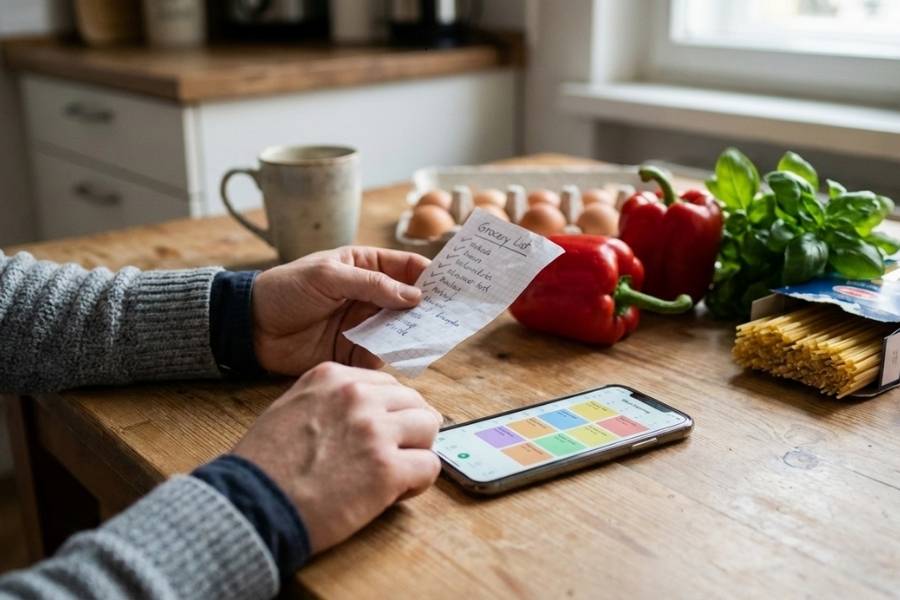
Step 1: Decide How Many Meals You’re Actually Planning
One of the biggest mistakes people make with weekly meal planning is trying to plan every single meal.
Breakfast, lunch, dinner, snacks — all seven days. That usually lasts about a week, maybe two, and then it feels exhausting.
You don’t need to plan everything.
For most people, weekly meal planning works best when you focus on 5–6 dinners. That’s it.
Dinners are usually the most stressful, the most expensive when they go wrong, and the easiest place to fall back on takeout.
Breakfast and lunch are different.
Most people already repeat those without realizing it. Same cereal, same eggs, same sandwich, same leftovers.
Meal planning apps are actually built around this behavior, which is why they make it easy to duplicate meals across multiple days.
A simple starting point looks like this:
- 5–6 planned dinners
- 2 flexible nights (leftovers, eating out, quick meals)
- repeat breakfasts and lunches
This approach does two things.
First, it keeps planning time short. You’re not staring at your phone trying to fill 21 meal slots.
Second, it builds in flexibility, which is what keeps the habit going long term.
Inside a meal planning app, this step is easy.
You select the number of meals you want to plan, reuse meals from past weeks, and skip days entirely if you know you won’t cook.
You’re setting a realistic baseline instead of an ideal one.
Once you stop overplanning, meal planning starts to feel lighter. It becomes a support tool, not another weekly task you feel behind on.
Also Read: How to Track Calories Without Obsessing: App-Based Approach
Step 2: Choose Meals Inside the App (Without Overthinking It)
This is the point where most people get stuck.
You open a meal planning app, scroll through dozens of recipes, and suddenly meal planning feels like a project instead of a shortcut.
The goal here isn’t to find perfect meals. It’s to pick meals that fit your week.
Before choosing anything, take a quick look at your schedule.
Busy workdays, late evenings, gym nights, kids’ activities — all of that matters more than calories or fancy recipes.
Meal planning apps usually let you see meals by prep time, difficulty, or ingredients, and that’s exactly what you should be using.
A good rule of thumb is to mix your meals:
- 2–3 very easy meals (15–20 minutes, minimal prep)
- 2 regular weeknight meals
- 1 slightly longer or “nice” meal for when you have more time
This balance keeps you from burning out midweek.
Another thing that helps is reusing meals you already know you like.
Most meal planning apps save past meals, which means you don’t have to reinvent your menu every week.
If a meal worked last week, it’ll probably work again. Repetition is not a failure — it’s how meal planning becomes sustainable.
Also, don’t plan meals back-to-back that use completely different ingredients unless you enjoy cooking a lot.
Apps make it easy to see ingredient overlap, and choosing meals with shared ingredients saves money and cuts down on food waste.
The key mindset shift here is simple:
You’re not building a menu. You’re building a week that feels manageable.
Once your meals are chosen, the hardest part is done.
Step 3: Turn Your Meal Plan Into a Grocery List Automatically
This is where meal planning apps go from nice to have to genuinely useful.
Once you’ve picked your meals, a good app automatically creates a grocery list based on the ingredients you’ll need for the week.
You don’t have to write anything down, remember quantities, or flip between recipes while standing in the store.
Everything you planned gets pulled into one list.
What makes this powerful is that the app merges duplicate ingredients.
If three meals need onions, you’ll see onions once — usually with the total amount. The same goes for things like chicken, rice, olive oil, or spices.
That alone saves time and prevents overbuying.
Most meal planning apps also organize the grocery list by category — produce, dairy, meat, pantry, frozen — which matches how most US grocery stores are laid out.
That means fewer back-and-forth trips across the store and a faster checkout.
Before heading out, it’s worth doing one quick check inside the app: scan your pantry and fridge.
If you already have something, you can mark it off or remove it from the list.
This small step helps reduce food waste and keeps grocery bills under control.
Another underrated benefit is shopping confidence.
You’re not guessing or impulse-buying as much because every item on your list has a purpose. You know exactly what it’s for and when you’ll use it.
Whether you’re doing one big weekly run at places like Walmart or Target, or a smaller trip to Trader Joe’s, this step keeps grocery shopping focused and predictable.
With your meals planned and groceries handled, the week already feels lighter.
Step 4: Assign Meals to Days (Without Locking Yourself In)
Once your grocery list is done, the next move is assigning meals to specific days.
This is the part that scares a lot of people because it sounds rigid — like you’re committing to eating one exact thing on one exact day.
That’s not the goal.
Assigning meals to days is about reducing daily decisions, not creating rules.
Inside a meal planning app, you’ll usually see a weekly calendar view.
This is where you place your planned meals across the week based on how busy each day looks.
A simple way to do this:
- put the quickest meals on your busiest days
- save the longer or more involved meals for nights you know you’ll have more time
- avoid stacking hard meals back-to-back
If you know Mondays and Wednesdays are hectic, those are perfect spots for easy, familiar meals.
If Sundays or Fridays are more relaxed, that’s where slightly longer recipes make sense.
It’s also smart to leave one or two days intentionally open.
Maybe that’s a takeout night, a leftovers night, or a “figure it out later” night. Leaving space in your plan makes the whole system feel realistic instead of strict.
The best part is that meal planning apps make this flexible.
If a late workday pops up or plans change, you just drag a meal to another day. You’re not redoing the plan — you’re adjusting it.
Think of the weekly calendar as a loose guide, not a contract.
It’s there to help you decide faster at 6 or 7 pm, not to make you feel guilty if things don’t go exactly as planned.
Also Read: How to Track Calories When You Eat Out (Without Guessing)
Step 5: Adjust Midweek (Because Life Always Changes)
This is where most meal plans fail — not at the start of the week, but somewhere around Tuesday or Wednesday when plans shift and energy drops.
Late workdays happen. You get invited out. You’re more tired than expected.
None of that means your meal plan is broken. It just means it needs to bend a little.
This is one of the biggest advantages of using a meal planning app instead of a notebook or a printed plan.
When something changes, you don’t have to start over. You just move things around.
If you skip a planned meal one night, drag it to another day. If you eat out unexpectedly, keep that meal for later in the week. If you’re too tired to cook something involved, swap it with an easier option you already planned.
Another helpful habit is using leftovers as a buffer.
If a recipe makes extra servings, plan to use those on a busy night instead of cooking again.
Many meal planning apps let you note leftovers or repeat a meal without re-entering anything.
The goal midweek isn’t to follow the plan perfectly. It’s to stay out of decision chaos.
Even a slightly adjusted plan is better than opening the fridge every night with no idea what to do.
Once you treat your meal plan as something flexible, not fixed, it becomes much easier to stick with long term.
3. Common Mistakes People Make With Meal Planning Apps
By this point, most people aren’t failing because they don’t understand how meal planning apps work.
They’re failing because they’re using them in a way that makes the week harder than it needs to be.
One common mistake is planning too many new recipes at once.
Trying five brand-new meals in a single week sounds exciting, but it usually backfires.
New recipes take longer, create more dishes, and require more mental energy.
A better approach is mixing familiar meals with one or two new ones. Meal planning apps make it easy to save favorites — use that feature.
Another issue is ignoring prep time.
A recipe might look simple, but if it needs chopping, marinating, or multiple steps, it’s not ideal for a busy weekday.
Many apps show prep and cook time for a reason. Use those filters and be honest about how much time you actually have on a weeknight.
A lot of people also forget to check what they already have at home.
Planning meals without looking at your pantry or freezer leads to buying duplicates and wasting food.
Before locking in your grocery list, do a quick scan of what’s already there and adjust inside the app.
Treating the app like a strict rulebook is another big mistake.
Meal planning apps are tools, not commitments. Skipping a meal, swapping days, or eating out doesn’t mean you failed. The app is there to support your week, not control it.
Finally, many people give up too quickly.
Meal planning usually feels a little awkward for the first week or two. That’s normal.
Once you’ve reused meals, built a small library, and figured out your rhythm, the process gets much faster.
4. The Best Apps to Use for Weekly Meal Planning (Based on This System)
At this point, you might be wondering what kind of app actually works with this weekly system — because not all meal planning apps are built the same.
The best meal planning apps aren’t the ones with the most features. They’re the ones that make the plan → shop → cook → adjust flow feel natural.
Here’s what actually matters when choosing a meal planning app:
First, it should let you plan meals on a weekly calendar.
Being able to see your week at a glance makes it easier to balance busy days with lighter ones. Drag-and-drop editing is a big plus, especially when plans change midweek.
Second, the app should automatically generate a grocery list from your meals.
This is non-negotiable.
If you’re still manually writing lists, you’re missing the biggest benefit of using an app in the first place.
Third, flexibility matters more than strict tracking. The app should let you:
- move meals to different days
- skip days entirely
- reuse meals from previous weeks
This is especially important if you eat out sometimes or rely on leftovers.
Some apps focus more on structured meal planning with recipes built in. These work well for beginners or families who want guidance.
Others are more flexible and let you plan your own meals, which is better if you already know what you like to eat.
There are also apps that combine meal planning with calorie tracking or grocery delivery, which can be useful if you want everything in one place.
The key is choosing something that supports your routine instead of forcing you into a new one.
If you want specific recommendations, you can check out our in-depth guides on:
Those break down which apps work best for different needs, whether you’re planning meals for yourself, a family, or trying to stay within a budget.
5. What a Real Weekly Meal Planning Routine Looks Like
This is what weekly meal planning looks like when it’s working — not perfectly, just realistically.
Most people do their planning on Sunday evening, when the week is about to start, and groceries are running low.
You open your meal planning app, look at the upcoming week, and decide on 5–6 dinners. This part usually takes about 10–15 minutes once you’ve done it a few times.
You don’t scroll endlessly. You reuse a couple of meals from past weeks, maybe add one new recipe, and keep the rest simple. You assign easier meals to busy nights and leave one or two days open for leftovers or eating out.
Then you let the app generate your grocery list.
Before heading out, you quickly check what’s already in your fridge and pantry, remove what you don’t need, and head to the store.
One focused grocery run — whether that’s Walmart, Target, or Trader Joe’s — instead of multiple last-minute trips.
During the week, the plan does most of the thinking for you.
On busy nights, you already know what’s quick.
On slower nights, you cook something a little more involved.
If plans change, you move a meal to another day instead of scrapping the whole plan.
By Friday, you’re not stressed about food. Maybe you use up leftovers, maybe you order takeout, maybe you keep it simple. The point is, the week didn’t feel chaotic.
That’s the quiet benefit of meal planning with an app.
You’re not constantly deciding, guessing, or reacting. You’re just following a loose plan you made when you had the time to think.
6. Can Meal Planning Apps Actually Save Time and Money?
Short answer: yes — but not in the dramatic way most apps promise.
They save time and money in quiet, boring ways, which is usually how habits actually stick.
On the time side, the biggest win is fewer daily decisions.
You’re not opening the fridge every evening trying to figure something out from scratch. The decision was already made earlier in the week, when you had the mental space to think.
That alone saves more time than people realize.
Grocery shopping also gets faster.
One list, organized by category, with no backtracking through the store. You’re not wandering aisles wondering if you forgot something important.
That’s easily 20–30 minutes saved per trip.
On the money side, the impact comes from less waste and fewer impulse buys.
When you plan meals first and shop second, every item you buy has a purpose. You’re less likely to grab random extras “just in case,” and you’re more likely to actually use what’s already in your fridge.
Another big money saver is cutting down on last-minute takeout.
Not eliminating it — just reducing those “I have nothing planned” orders. Even replacing one or two of those a week adds up over time.
The key thing to understand is this: meal planning apps don’t save money by being strict. They save money by making your week calmer and more predictable.
And that’s usually what keeps people using them long term.
Final Thoughts: Keep the System Simple
Weekly meal planning doesn’t need to be perfect to work. It just needs to be simple enough that you’ll actually do it again next week.
Using an app helps because it connects everything — meals, groceries, and your schedule — in one place.
You’re not planning every meal forever. You’re just giving yourself a loose plan for the week so you don’t have to think about food every single day.
Start small. Plan a few dinners. Reuse meals you already like. Leave space for leftovers and eating out.
If something doesn’t go as planned, adjust it and move on. That flexibility is what makes the system stick.
Over time, your meal planning app turns into a personal library of meals that work for your life.
Planning gets faster. Grocery shopping gets easier. And food stops being something you stress about midweek.
If you’ve struggled with meal planning before, this approach is a good place to restart — not by doing more, but by doing less in a smarter way.
When you’re ready, you can explore different meal planning apps to see which one fits this system best.
But even with just one solid app and this weekly flow, you’re already most of the way there.
If you only remember one thing from this guide, save this.
The 10-Minute Weekly Meal Planning Formula
- Decide 5–6 dinners (not all meals)
- Reuse 2–3 meals from last week
- Add 1 new meal (optional)
- Generate grocery list in the app
- Remove items you already have
- Assign easy meals to busy days
- Leave 1–2 days open
- Shop once
- Adjust midweek, don’t restart
- Repeat next week
FAQs: Meal Planning for a Week Using an App
Are meal planning apps actually worth using?
Yes, for most people they are — mainly because they reduce daily decision-making. Instead of figuring out what to eat every night, you plan once and follow a loose schedule. The real value isn’t fancy recipes, it’s saving time, reducing stress, and cutting down on last-minute grocery trips or takeout.
How many meals should I plan for a week?
You don’t need to plan every meal. Most people do best planning 5–6 dinners for the week and keeping breakfasts and lunches simple or repeated. This keeps meal planning realistic and easier to stick to long term.
Can I meal plan using an app if I eat out often?
Yes. Meal planning apps work best when you leave space for eating out. You can plan fewer meals, skip certain days, or move meals around during the week. The goal is to reduce stress, not eliminate flexibility.
Do meal planning apps help save money?
They can, especially by reducing food waste and impulse grocery purchases. When meals turn directly into a grocery list, you buy what you need and use what you buy. Many people also save money by ordering takeout less often during the week.
How far in advance should I plan meals?
For most people, planning one week at a time works best. Planning too far ahead usually leads to wasted food or constant changes. Weekly planning keeps things flexible while still giving structure.
Are meal planning apps good for beginners?
Yes, especially apps with built-in recipes and automatic grocery lists. Beginners benefit the most because the app handles the organization part, which is usually the hardest step at first.
What if I don’t like cooking every day?
You don’t have to. Many people plan meals that create leftovers or reuse ingredients across multiple days. Meal planning apps make it easy to repeat meals or schedule leftovers, so you’re not cooking from scratch every night.
Can meal planning apps work for families?
They can be very helpful for families. Planning meals in advance makes grocery shopping faster and reduces last-minute stress. Many apps also let you adjust serving sizes or plan meals everyone already likes.
Do I need a paid meal planning app?
Not necessarily. Free versions are usually enough to get started. Paid plans can be helpful if you want extra features like advanced recipe filters, nutrition tracking, or shared family planning — but they’re not required for weekly meal planning to work.